Installing Adams for use of the Adams extension model in Easy5
If you plan on using the Adams Extension model in Easy5 you should have Adams installed on your machine before installing Easy5.
Installing Easy5
1. Run the easy5 installation executable
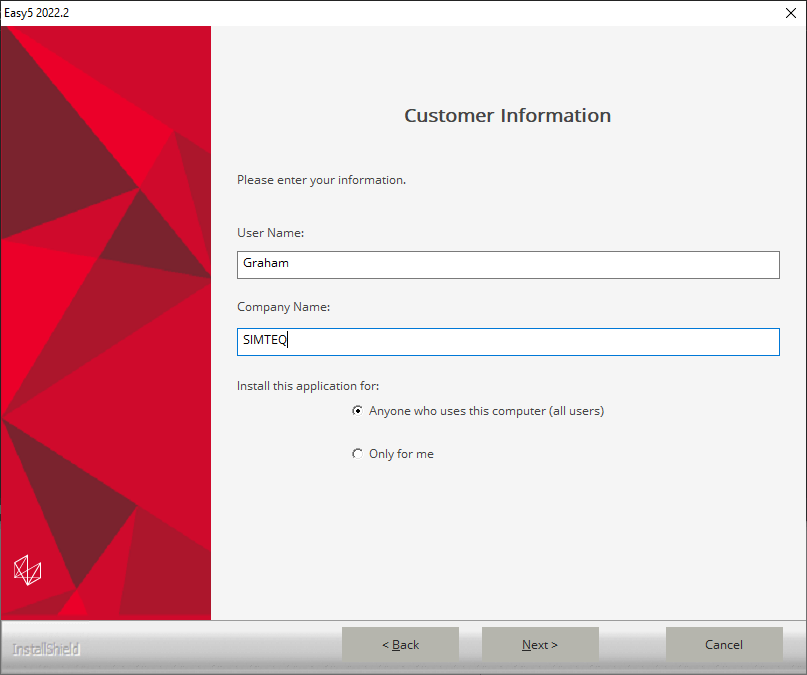
2. Insert your username and company name
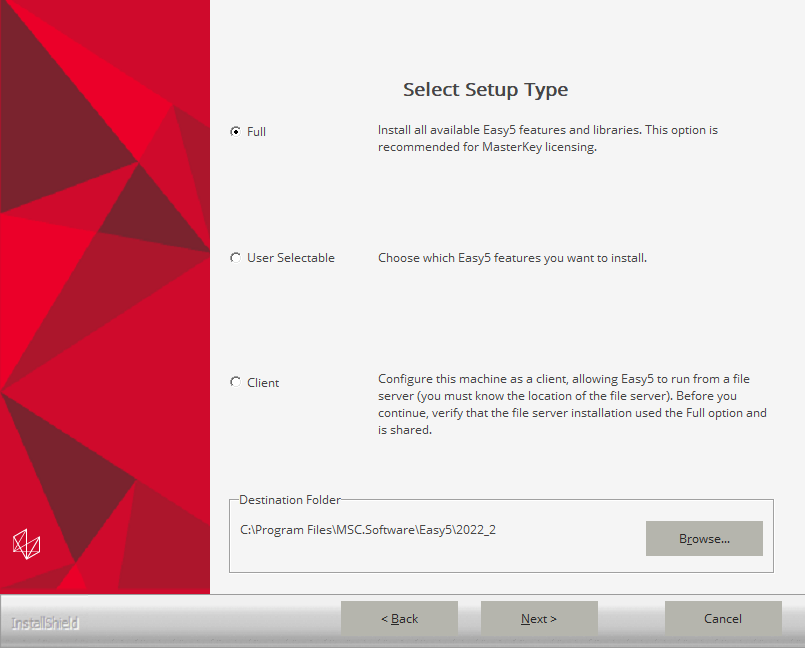
3. Select “Full” for your Setup type and select the installation destination folder
4. Next you just need to confirm the installation
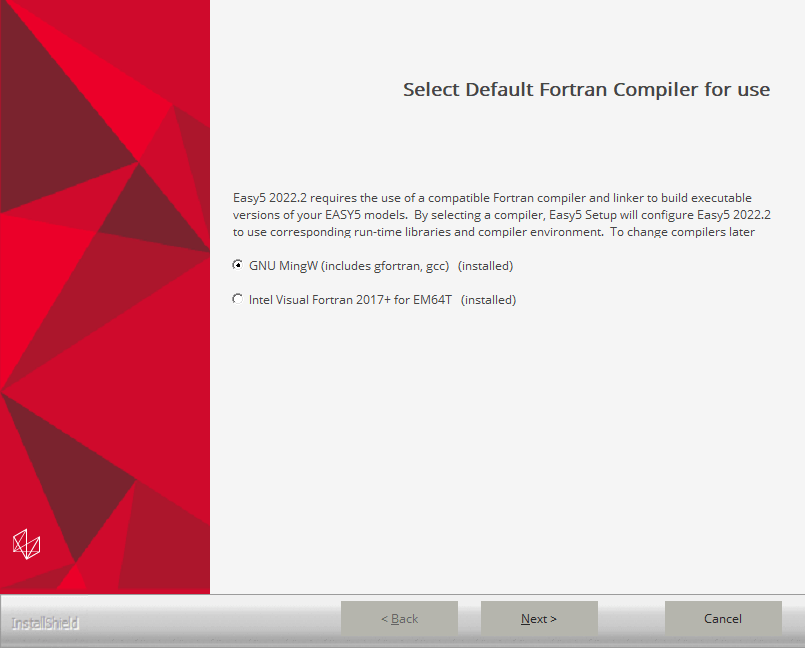
5. After the installation completes it will ask you to select a Fortran compiler, select the GNU MingW Compiler
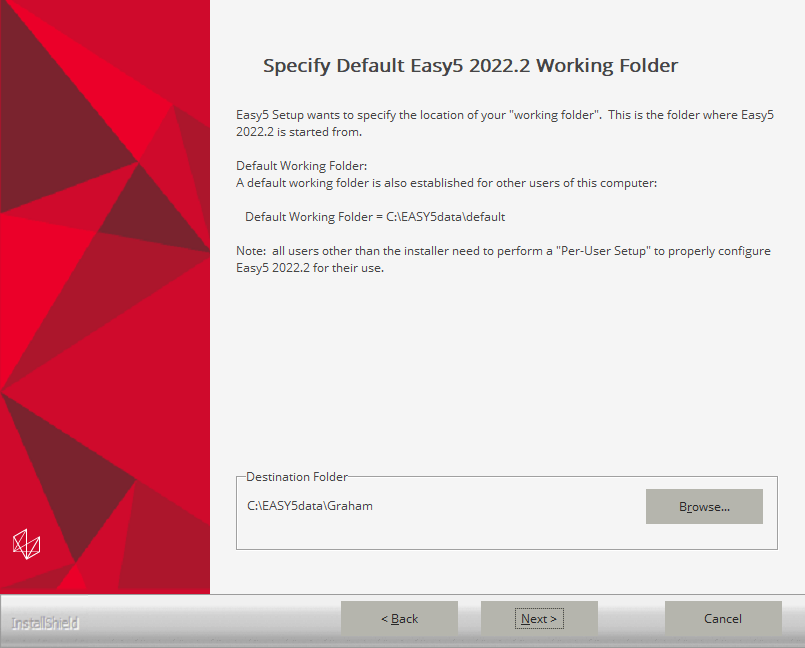
6. Next you need to select your preferred working folder
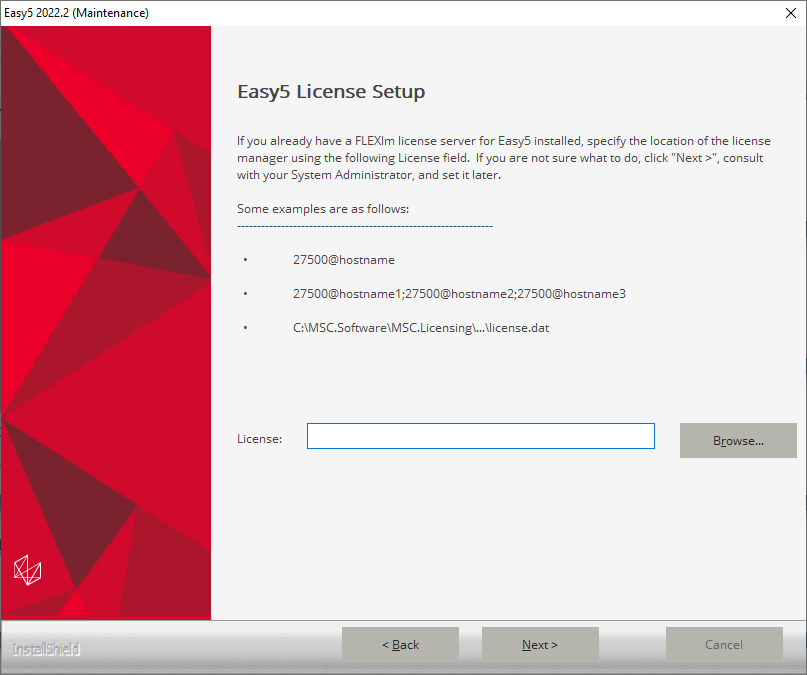
7. When asked for the location of the license, simply leave this field blank.
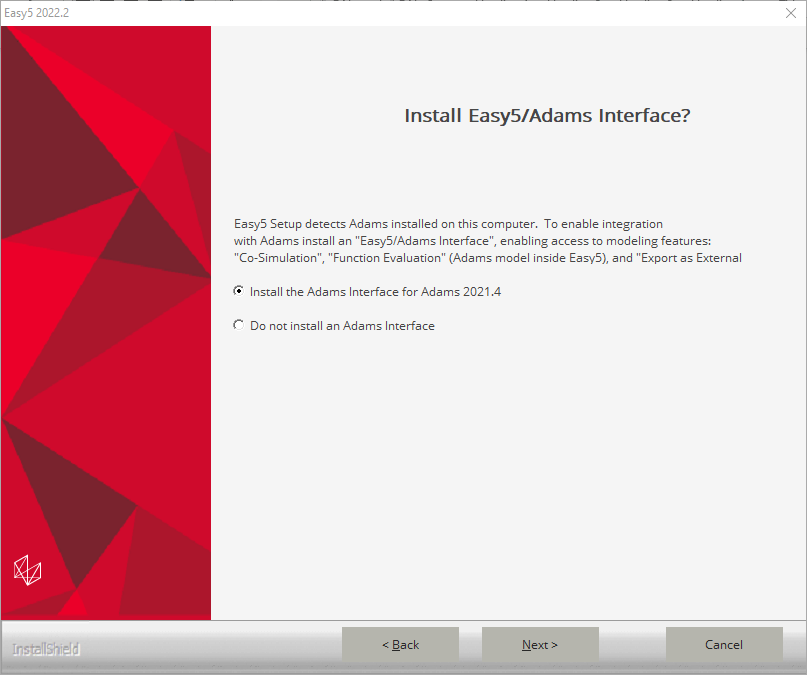
8. Next, if you have an installation of Adams, Easy5 will detect it and ask if you wish to install the Easy5/Adams interface, which you will need for co-simulation with Adams. Select your version of Adams and click “Next”.
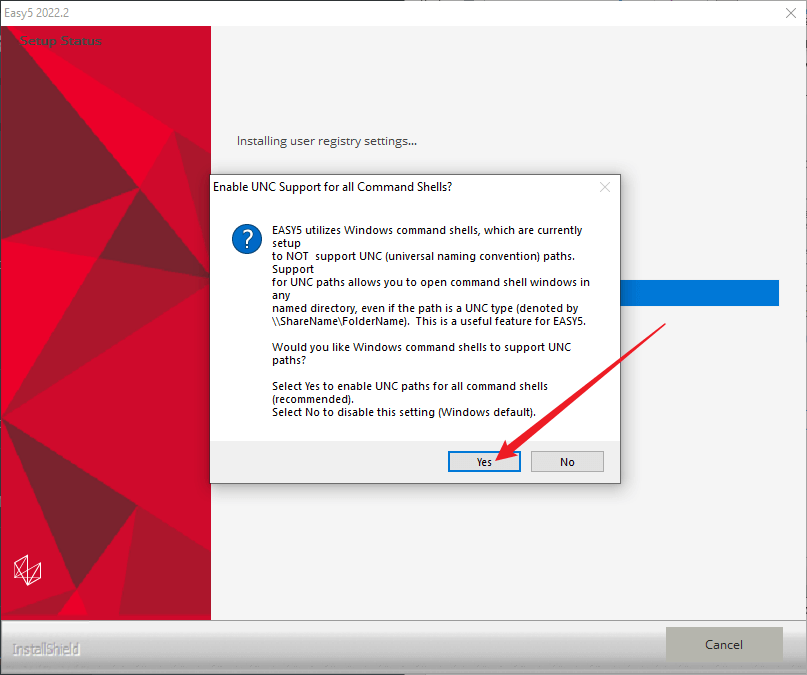
9. Next the compiler will ask if you want to enable UNC support for all command shells. Select yes.
Don't ever risk your career by using cracked software!
THE EXCUSES: I only used it for my studies, I only wanted to evaluate the software, I didn't use if for commercial purposes, I only installed it, but never used it... Unfortunately, no reason holds up in court for the possession of stolen goods.
THE FINE? The full commercial purchase price of the software (for everything you had access to, whether or not it was even used!)
Students (under- or post-graduate) also has no recourse since they can get access to free legal student versions, or the full commercial versions through their respective universities. If you wish to evaluate any software or module that you do not have access to, please contact us, we will gladly arrange for evaluation licenses, even emergency licenses.
There is just no reason to access illegal software.
ID used to identify users for 24 hours after last activity
24 hours
_gat
Used to monitor number of Google Analytics server requests when using Google Tag Manager
1 minute
_gac_
Contains information related to marketing campaigns of the user. These are shared with Google AdWords / Google Ads when the Google Ads and Google Analytics accounts are linked together.
90 days
__utma
ID used to identify users and sessions
2 years after last activity
__utmt
Used to monitor number of Google Analytics server requests
10 minutes
__utmb
Used to distinguish new sessions and visits. This cookie is set when the GA.js javascript library is loaded and there is no existing __utmb cookie. The cookie is updated every time data is sent to the Google Analytics server.
30 minutes after last activity
__utmc
Used only with old Urchin versions of Google Analytics and not with GA.js. Was used to distinguish between new sessions and visits at the end of a session.
End of session (browser)
__utmz
Contains information about the traffic source or campaign that directed user to the website. The cookie is set when the GA.js javascript is loaded and updated when data is sent to the Google Anaytics server
6 months after last activity
__utmv
Contains custom information set by the web developer via the _setCustomVar method in Google Analytics. This cookie is updated every time new data is sent to the Google Analytics server.
2 years after last activity
__utmx
Used to determine whether a user is included in an A / B or Multivariate test.
18 months
_ga
ID used to identify users
2 years
_gali
Used by Google Analytics to determine which links on a page are being clicked
30 seconds
_ga_
ID used to identify users
2 years
Marketing cookies are used to follow visitors to websites. The intention is to show ads that are relevant and engaging to the individual user.
Google Maps is a web mapping service providing satellite imagery, real-time navigation, and location-based information.